Creating an employee training program starts with a question: What do your people need to do differently?
Perhaps managers need to give more useful feedback. Employees need to navigate disagreements respectfully. Or your organization needs people to recognize and raise potential conflicts of interest.
An effective program makes those expectations tangible. Employees see a situation they recognize, consider how it relates to their own workplace, and learn what they can do next.
That experience also creates an opportunity for HR, Compliance, and L&D leaders to listen. When training asks employees about the behaviors they experience, it can reveal challenges that a completion report or knowledge test would miss.
Emtrain’s approach brings those goals together through a repeatable lesson structure: introduce the topic, show a workplace scenario, ask about employee experience, and teach people how to act.
Here’s how to build that approach into your employee training program.
1. Start with a workplace behavior you want to improve
Before choosing content or building a course, identify the situation your training needs to address.
“Respectful communication” is a topic. “Helping employees respond when a disagreement becomes personal” is a specific learning need.
That distinction helps you create focused training with a clear purpose. It also helps you decide what to ask employees about their experience.
| Training need | Skill employees should develop | Workplace experience to explore |
|---|---|---|
| Difficult feedback conversations | Give specific, constructive feedback | Whether employees feel comfortable sharing feedback |
| Workplace disagreements | Redirect a conversation without personal attacks | Whether differing views create conflict |
| Conflicts of interest | Recognize and disclose a potential conflict | Whether employees feel comfortable raising a concern |
| Speaking up | Respond supportively when someone raises an issue | Whether employees believe their concerns will be taken seriously |
Define the audience, too. An employee may need to know how to raise a concern, while a manager needs to know how to respond.
Decide who owns the program, who reviews the content, and how managers will reinforce it. A focused lesson can be part of a broader program that includes team discussions, practice, and follow-up.
2. Introduce the topic in terms employees recognize
Open each lesson by explaining the situation and why it matters in everyday work.
Employees need enough context to understand the issue, without working through a long introduction before reaching something relevant.
A lesson about workplace disagreements, for example, might begin:
People bring different experiences and beliefs to work. You do not need to agree on every issue to work well together. But how you express disagreement can affect whether co-workers feel respected and comfortable contributing.
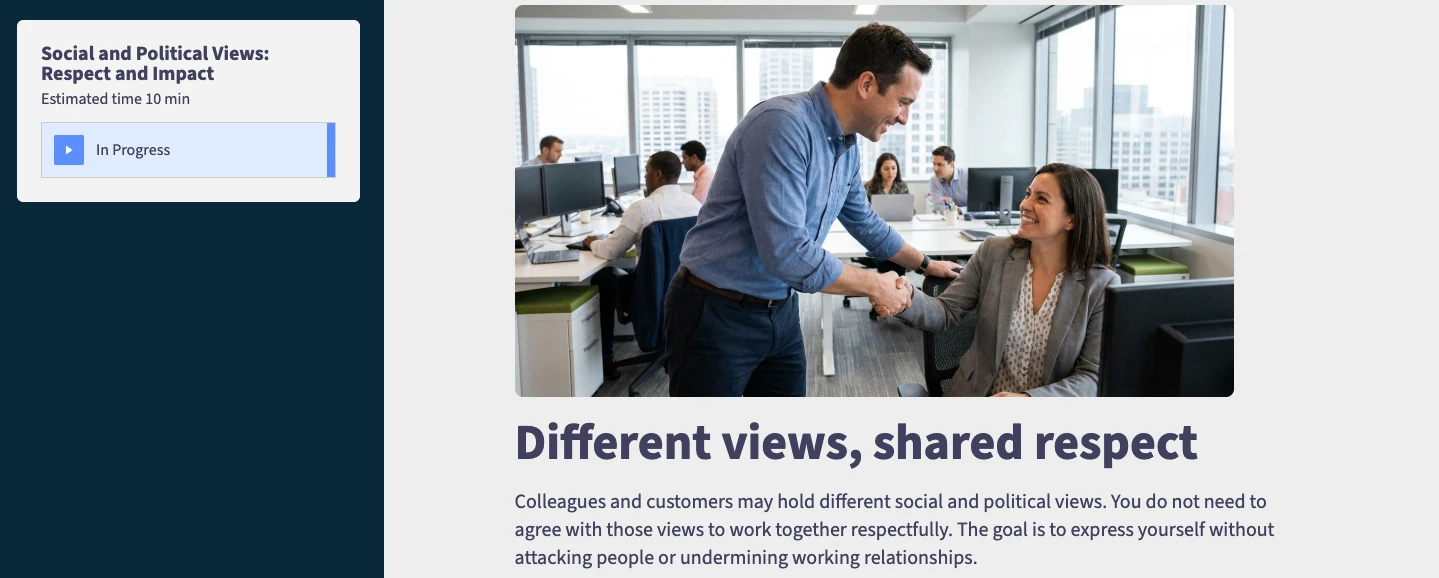
That introduction establishes the purpose of the lesson and connects it to the employee experience.
Use your organization’s policies and expectations to make the guidance specific. Explain what respectful behavior looks like in your workplace and where employees can find support.
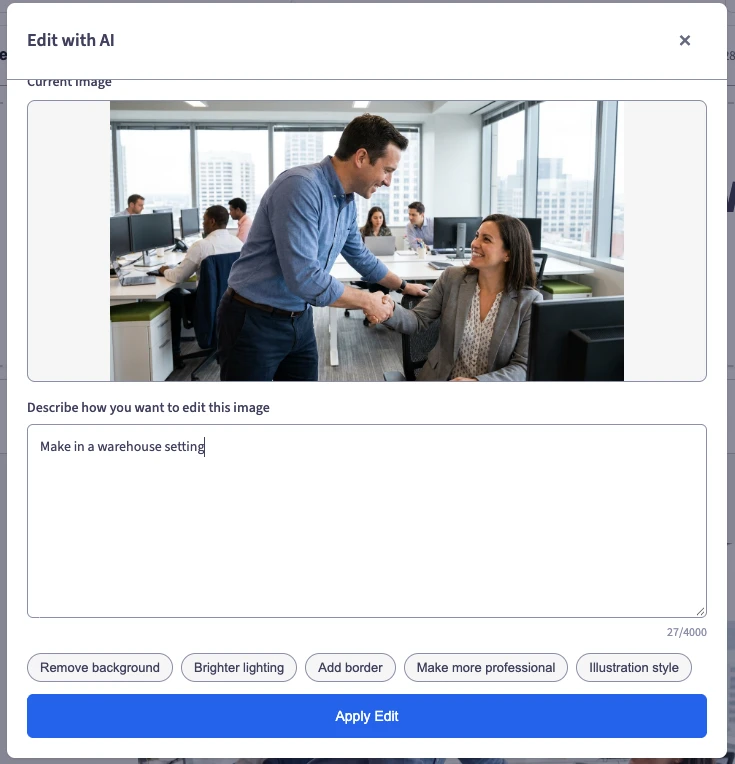
You can also use AuthorAI’s AI image creation tool to create visuals that support your training topic and reflect your employees’ work environment. For example, a lesson about respectful communication can include imagery of employees interacting in an office, warehouse, or retail setting, helping make the content feel relevant to your team.
3. Show a realistic workplace scenario
Next, show the behavior in context.
A policy explains an expectation. A workplace scenario shows how a conversation unfolds, where it becomes uncomfortable, and how another person might experience it.
Video is particularly useful for showing tone, facial expressions, interruptions, and differences in authority. Those details give employees something concrete to consider.
With AuthorAI, you can choose from over 500 videos in Emtrain’s CenterStage library or upload your own video. Select a scenario that connects to your learning objective and reflects situations your employees encounter.
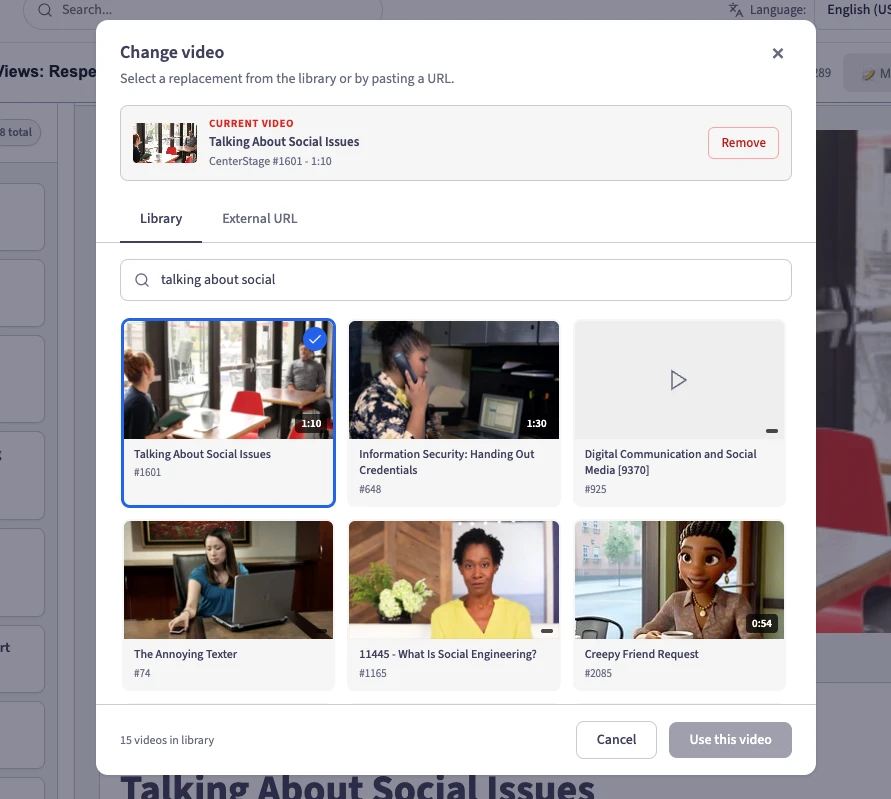
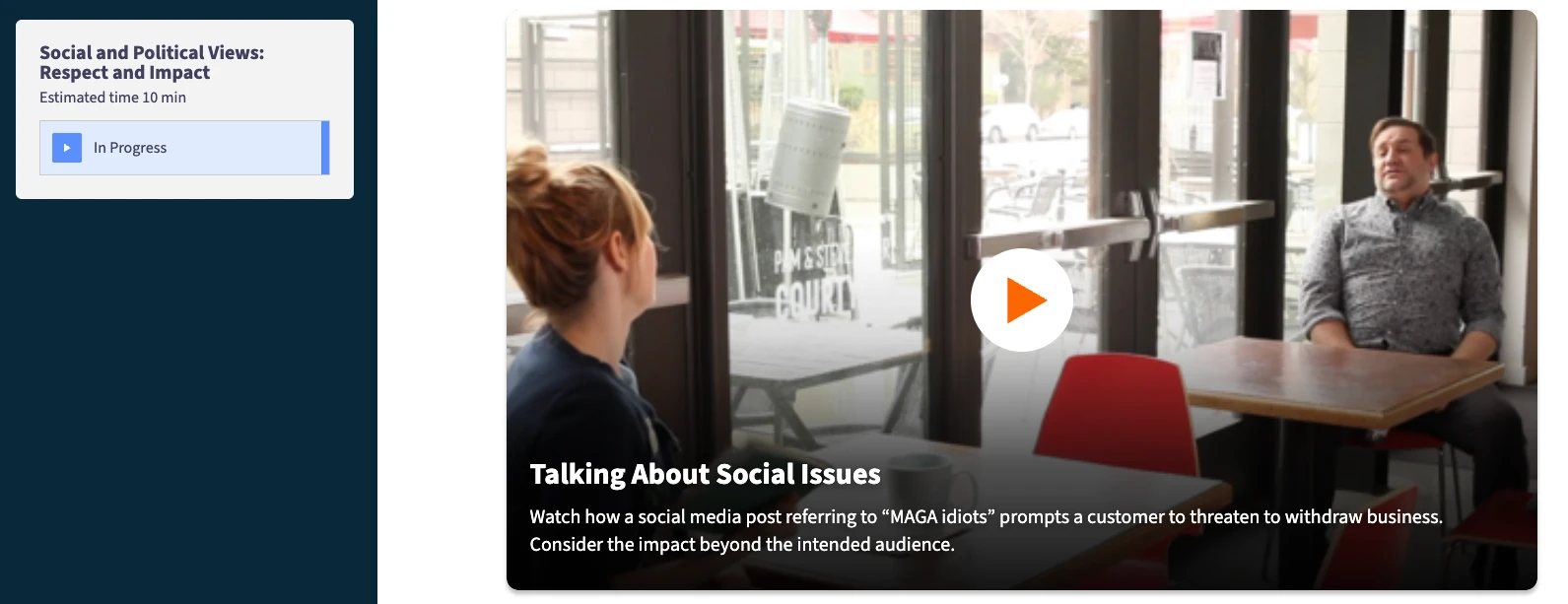
For example, a scene might show a casual discussion about a social issue turning into a personal comment about a colleague. Employees can observe the moment the interaction changes and consider its effect on the team.
Follow the video with a prompt such as: “At what point did this conversation become disrespectful?” That encourages employees to consider the behavior and prepares them to reflect on their own experience.
4. Ask whether employees recognize the behavior in their own workplace
After the scenario, invite employees to connect what they watched with what they experience.
This is a defining part of Emtrain’s methodology. Training becomes an opportunity to hear from employees while the situation is fresh in their minds.
Emtrain’s question bank includes over 400 questions you can draw from when building lessons in AuthorAI. Choose an employee sentiment question that connects to the behavior in the scenario, or create your own question to explore a specific workplace concern.
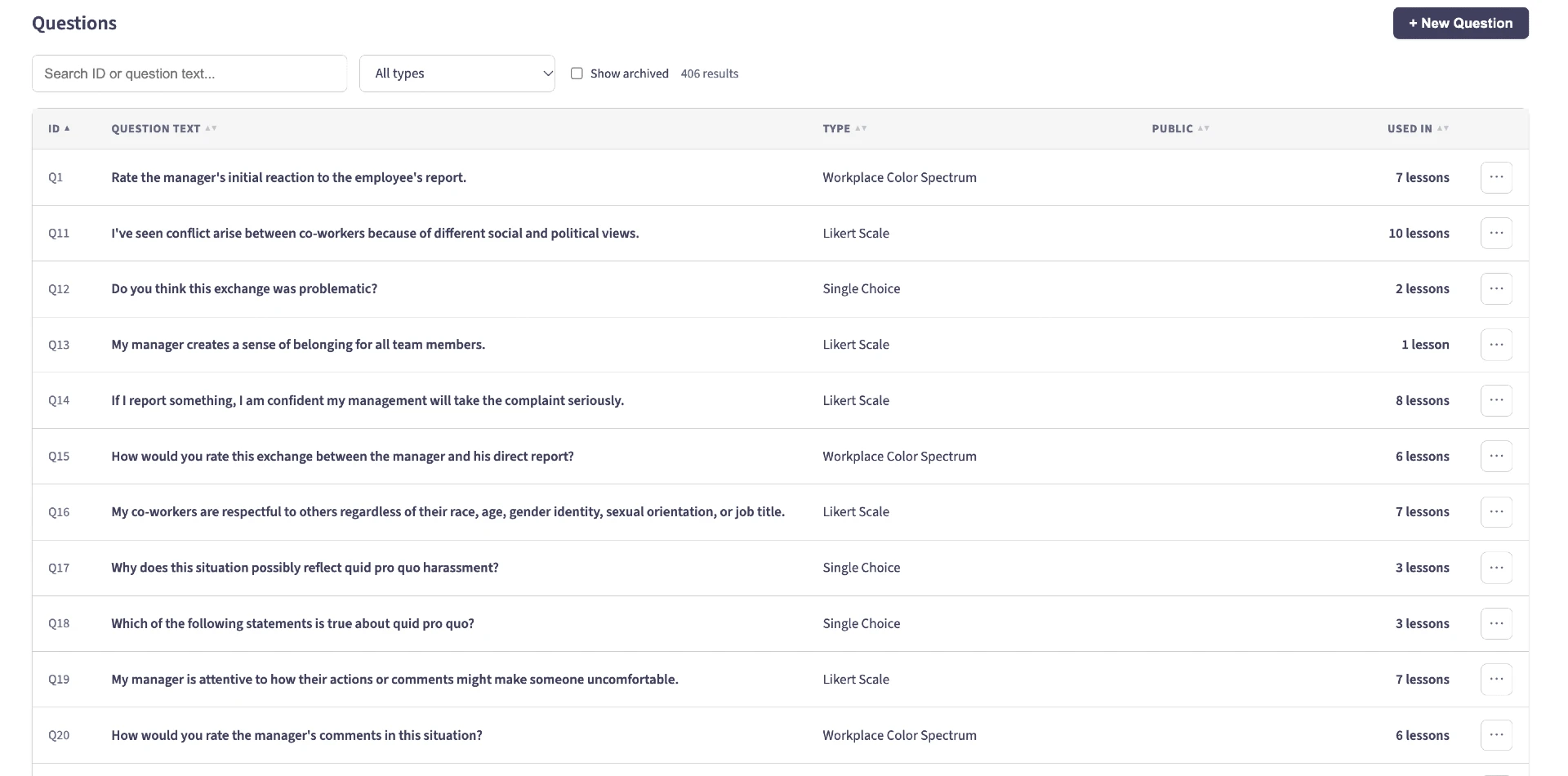
For a lesson about differing views, you might ask employees to respond to this statement:
“I’ve seen conflict arise between co-workers because of different social and political views.”
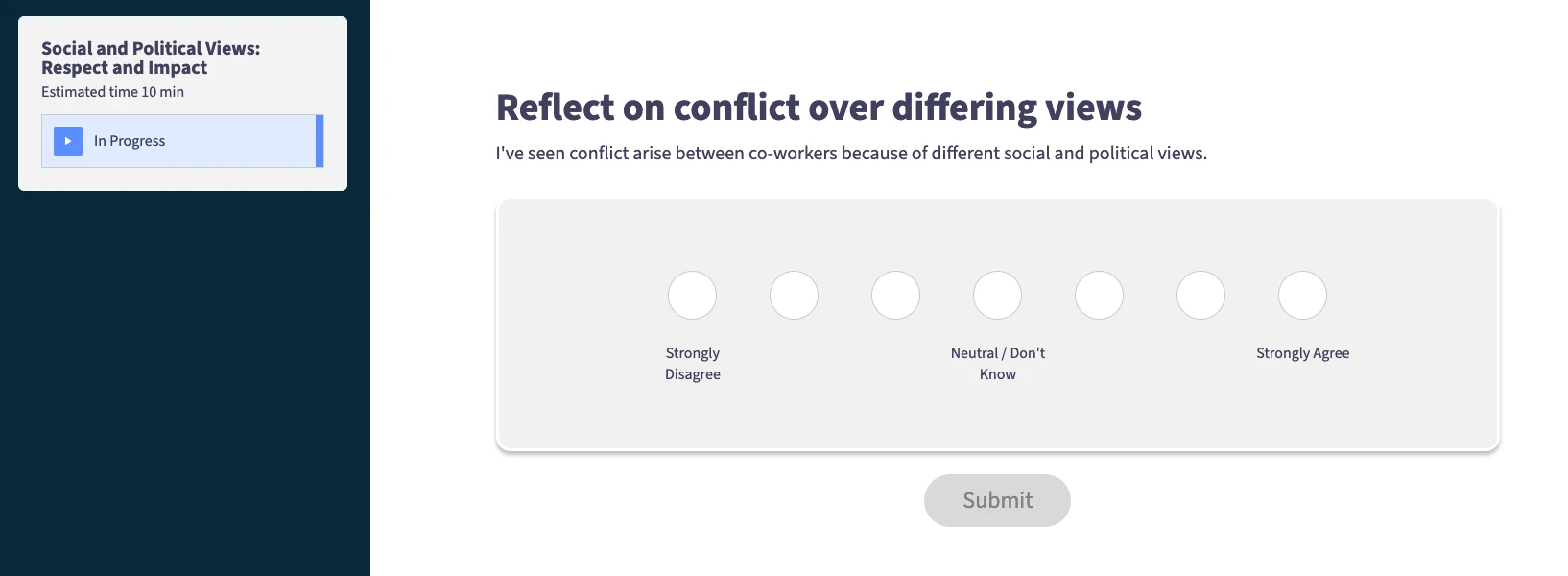
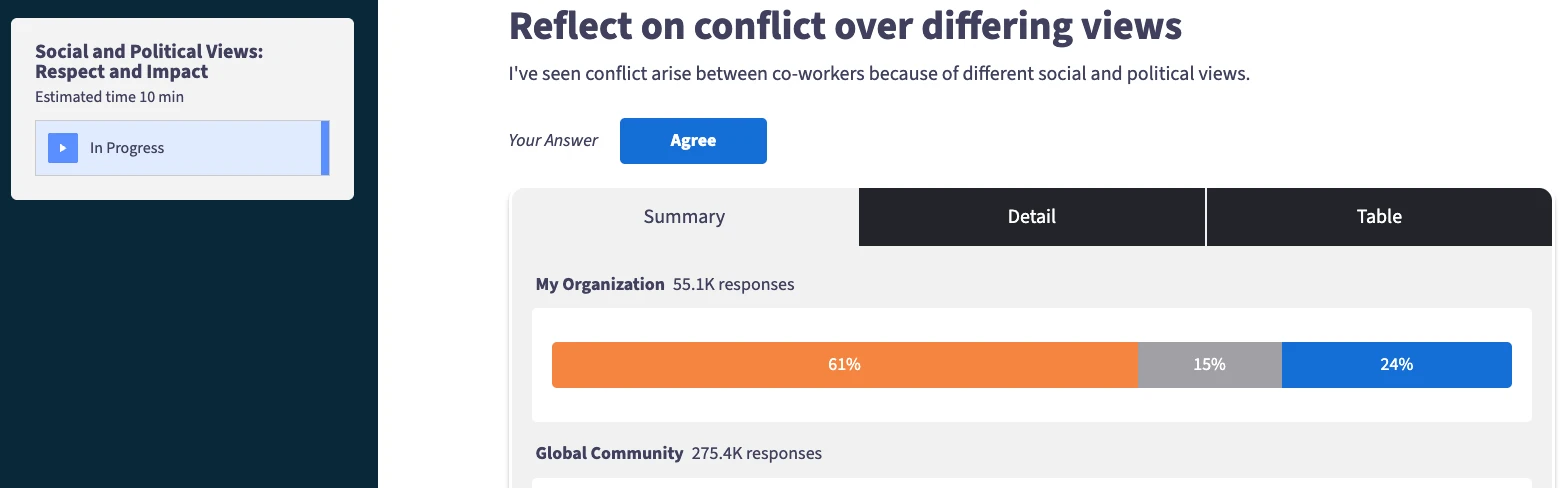
Employees answer based on their experience. There is no correct answer to memorize.
A knowledge question helps assess whether someone recognizes an appropriate response. A sentiment question helps leaders understand whether the underlying behavior is showing up at work.
Together, these questions connect learning with listening. Employees may understand the expected behavior while still experiencing team dynamics that make it difficult to practice. Their responses help HR, Compliance, and L&D leaders identify where additional support, conversations, or targeted training may be needed.
5. Show employees how to take action
Once employees recognize the situation and reflect on their experience, give them practical ways to respond.
“Be respectful” is an expectation. Employees also need language and actions they can use in the moment.
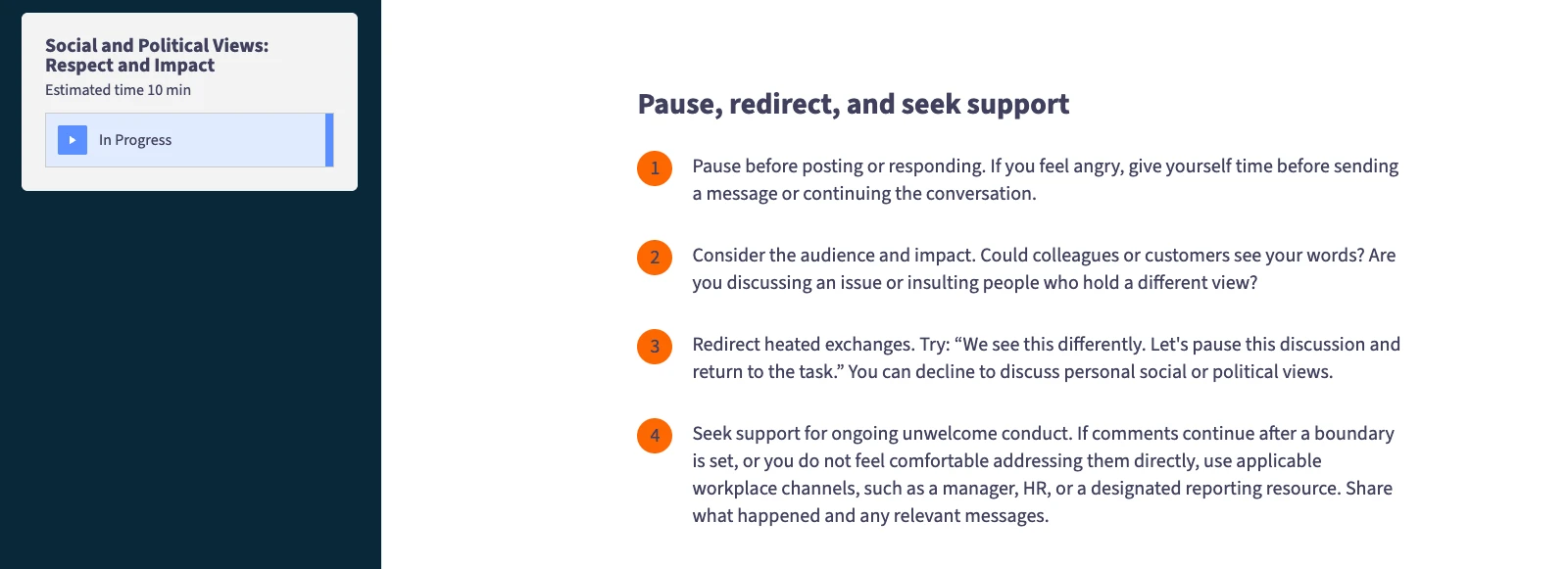
For a tense conversation, that might include:
- Pause: Notice when the discussion is becoming personal.
- Redirect: Say, “We see this differently. Let’s bring the conversation back to the work.”
- Set a boundary: Explain that a comment is making the interaction uncomfortable.
- Seek support: Use the organization’s reporting or support process when appropriate.
Give managers guidance that reflects their responsibilities, including how to address the behavior and follow up.
Then let learners practice. Show a second response, ask them to choose what they would do next, or compare approaches and explain their likely effects.
The lesson should leave employees with a clear connection between the scenario they watched and an action they can take in their own workplace.
6. Use AuthorAI to build and customize the learning experience
With that structure in place, your team has a clear blueprint for creating lessons:
Topic → Workplace scenario → Employee sentiment question → Practical action
Start with your policies, existing materials, and learning objectives. Use AuthorAI to help create and refine content around the behavior you want to address.
Bring together workplace video, employee sentiment questions, comparisons, and other content blocks. Adapt the language, branding, and imagery to reflect your organization. For example, a lesson for warehouse employees can use imagery that reflects their work environment.
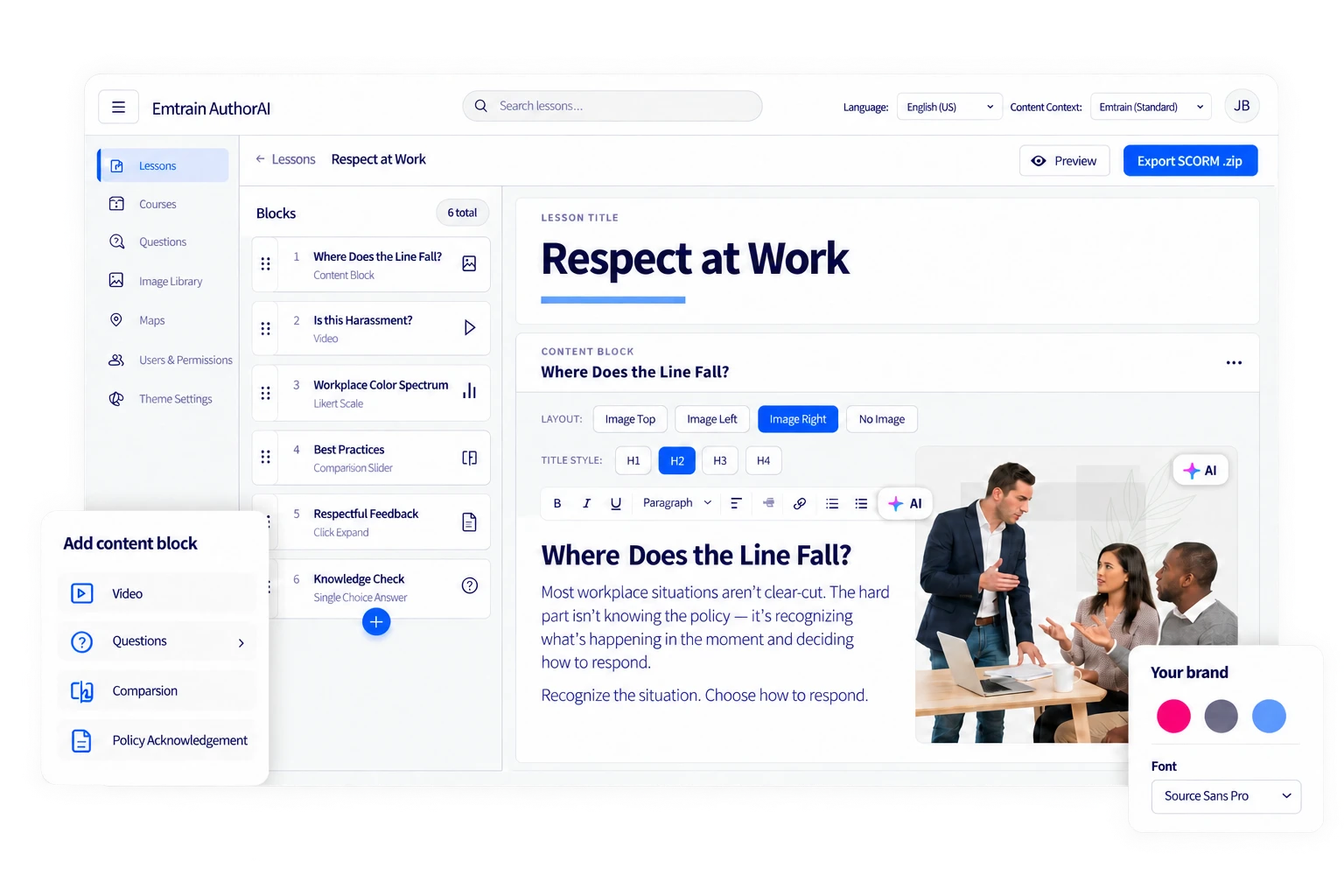
Each element should help employees understand the situation, relate it to their experience, or practice a response.
Before delivery, review the lesson for accuracy, clarity, accessibility, and alignment with your organization’s expectations. Test it with a small group of employees to check whether the examples feel realistic and the guidance is useful.
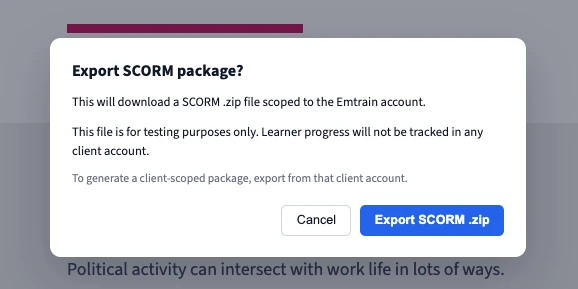
Then preview and export the SCORM package, test it in your LMS, and deliver it through your existing training process. Explain why the lesson matters and give managers a practical way to reinforce it with their teams.
7. Turn workplace insights into your next lesson
Employee responses help you decide where your training program should go next.
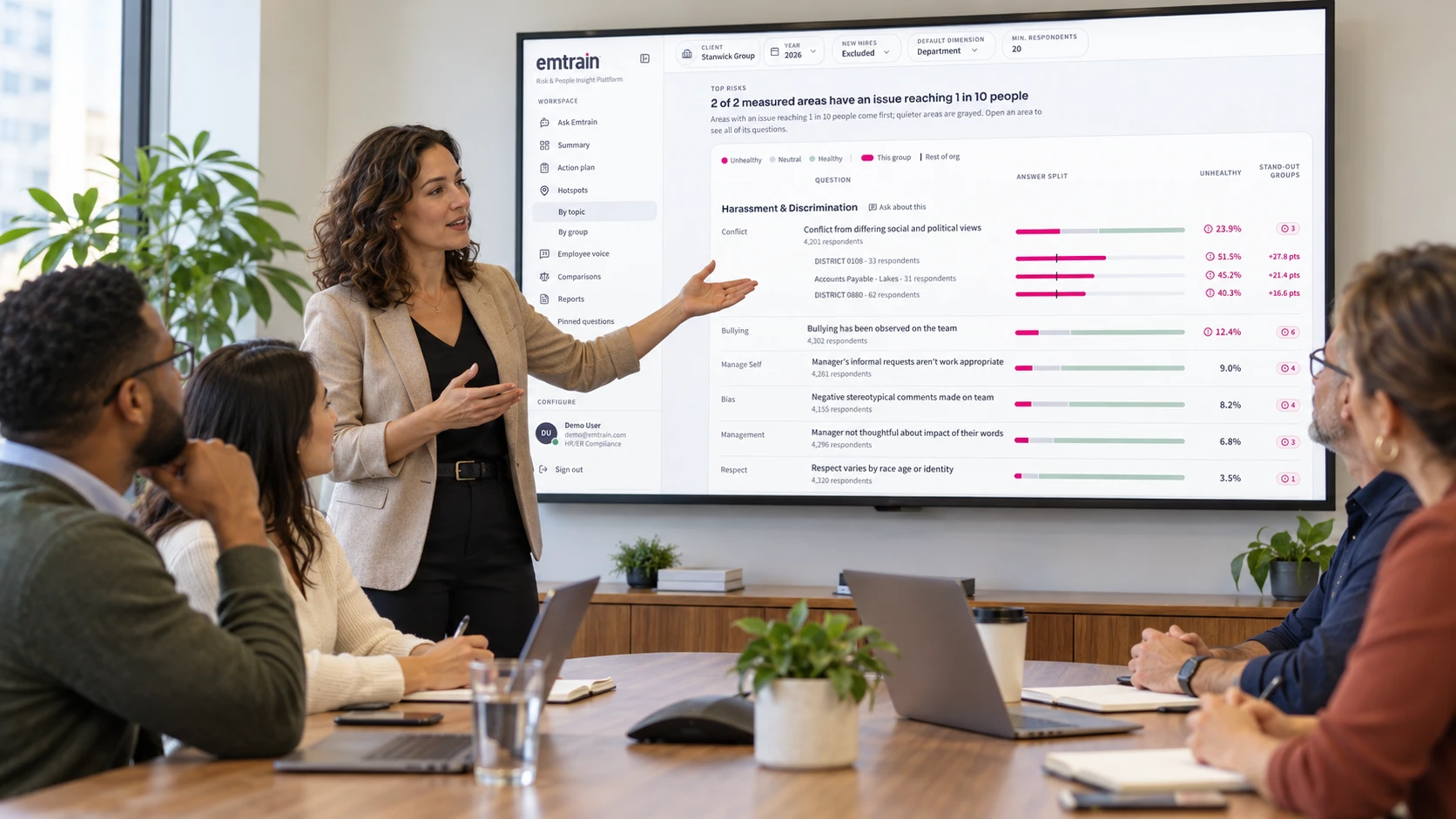
The new Emtrain Intelligence platform lets you explore hotspots by topic and team, helping you see where employees report challenging workplace behaviors and how those experiences differ across your organization.
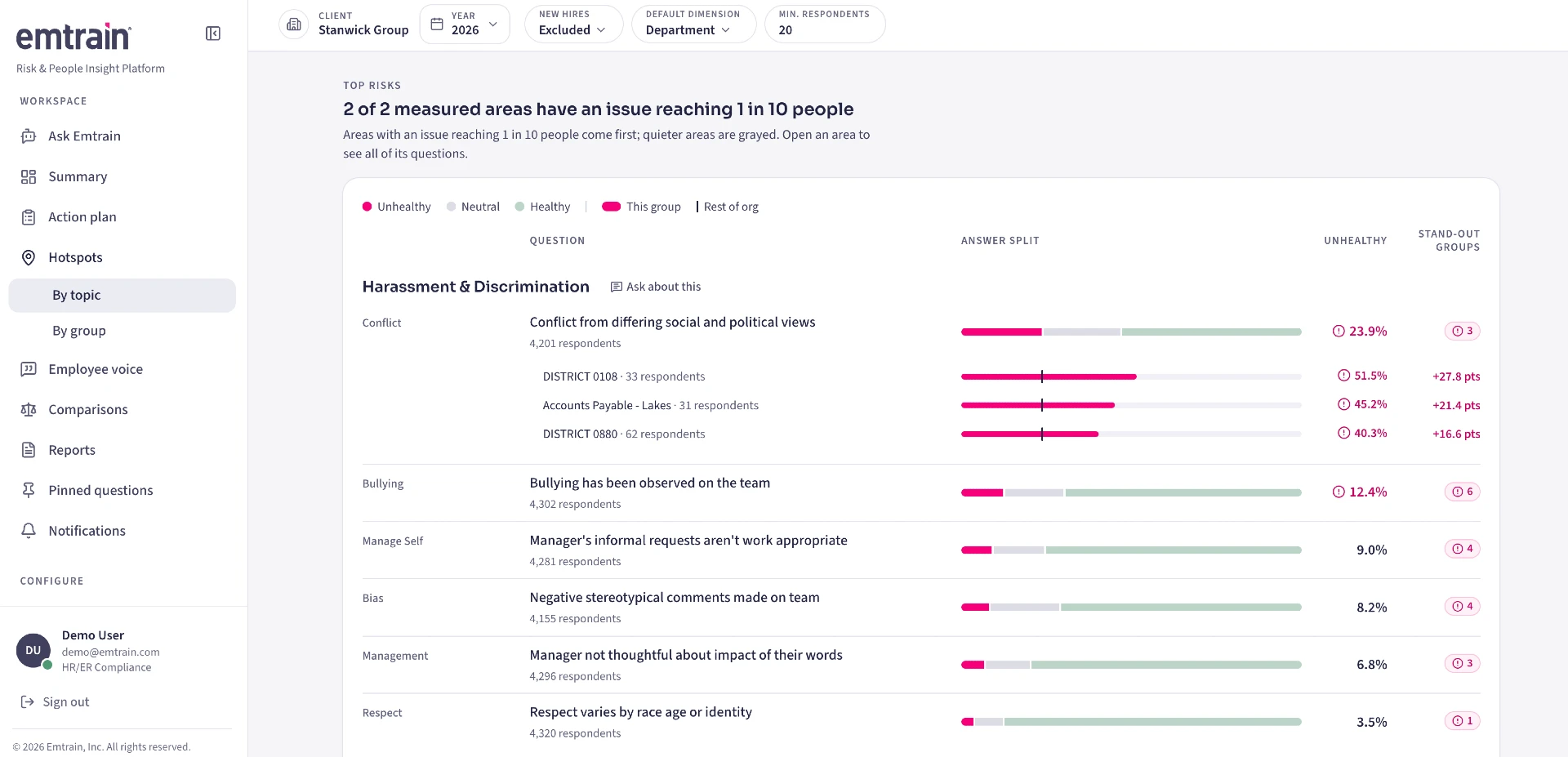
For example, an organization-wide result might show that employees experience conflict over differing social and political views. Drilling down reveals which teams report that experience more frequently, giving HR and Compliance leaders a clearer starting point for follow-up.
Those insights help you focus your response. A team may need support with de-escalating conversations, setting respectful boundaries, or responding when someone raises a concern.
Emtrain Intelligence also identifies follow-up pulse questions you can select and send to AuthorAI. Use those questions as the foundation for a new lesson that addresses the issue, reinforces practical skills, and asks employees about their experience again.
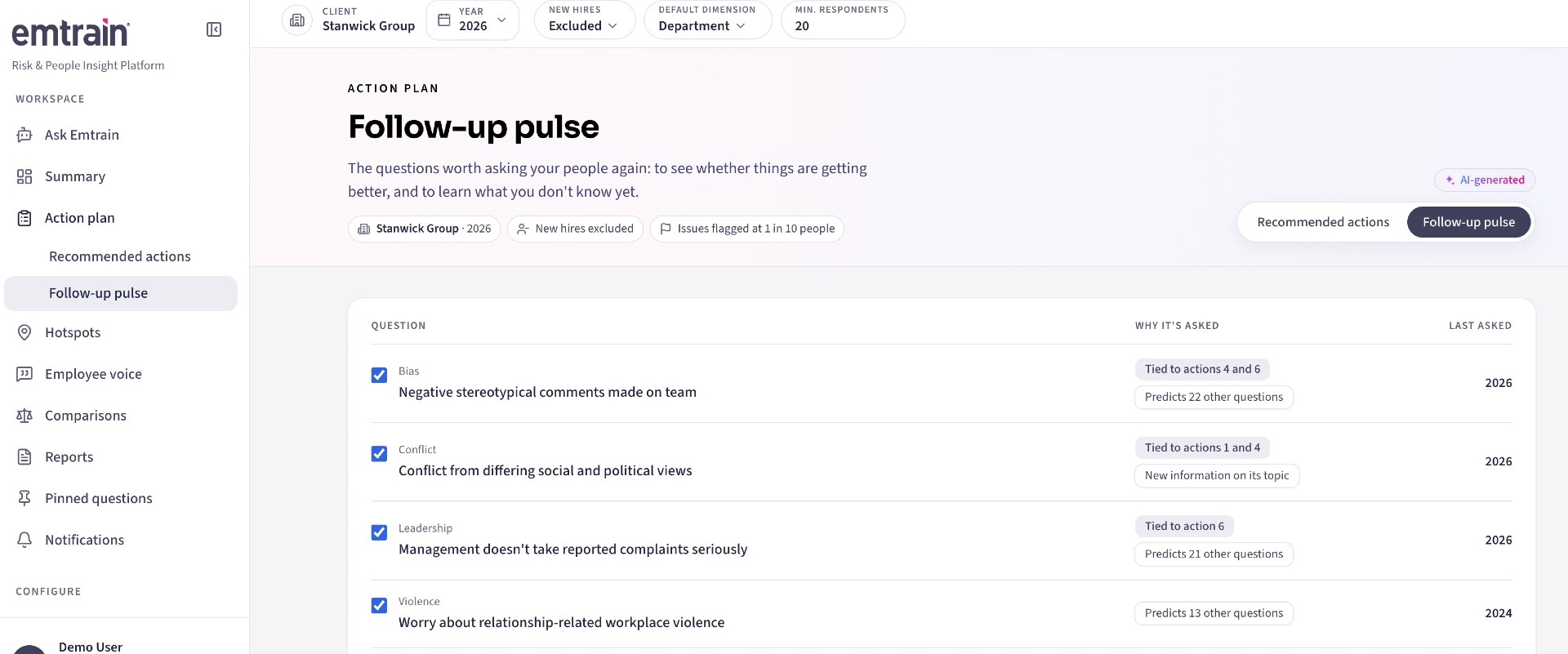

This creates a repeatable cycle:
| Stage | What your team does |
|---|---|
| Create | Build a focused lesson in AuthorAI using workplace insights and follow-up questions. |
| Review | Check the scenarios, guidance, and questions for relevance and accuracy. |
| Deliver | Deploy the lesson to the employees or teams who need it. |
| Listen again | Review new responses in Emtrain Intelligence to understand what is changing and where more support is needed. |
Look at completion, knowledge checks, and employee sentiment together. Completion tells you who received the training. Knowledge checks help assess understanding. Sentiment reveals how employees describe their workplace experience.
Treat hotspots as signals for further attention, and pair targeted learning with manager conversations and appropriate follow-through. Each round of listening helps you refine the next step.
Build a training program that evolves with your workplace
Knowing how to create a training program for employees means connecting learning to what people experience every day.
Introduce the topic. Show a realistic workplace scenario. Ask employees whether they recognize the behavior. Give them practical ways to act.
Then use Emtrain Intelligence to understand the patterns across topics and teams—and bring those insights back into AuthorAI to create the next learning experience.
Create → Review → Deliver → Listen again.
That cycle keeps your training program relevant to employees while helping HR, Compliance, and L&D leaders understand their workplace culture and respond with focused support.
Watch the AuthorAI preview to see how you can turn workplace insights into your next lesson.